MinecraftTurtle
The Minecraft Turtle is a recreation of the classic graphics turtle for Minecraft. The key difference is that you can draw in 3 dimensions not just 2.
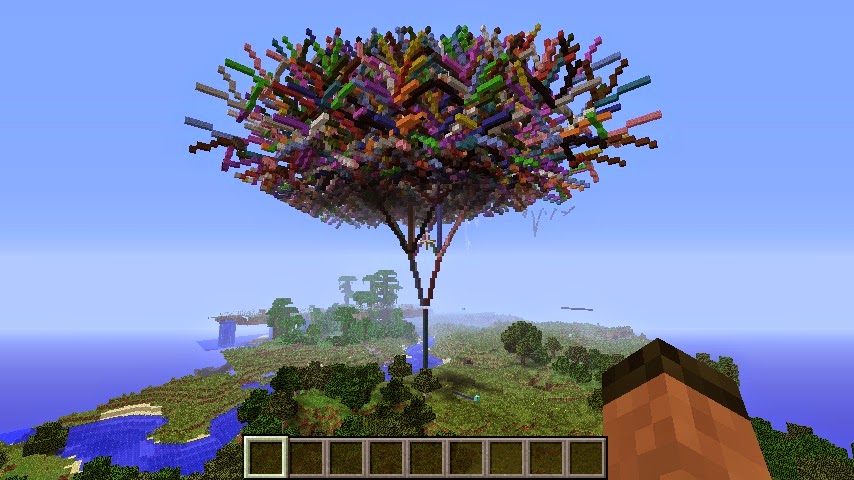
Example:
from mcpi.minecraft import Minecraft
from mcpi import block
from minecraftstuff import MinecraftTurtle

mc = minecraft.Minecraft.create()
pos = mc.player.getTilePos()

# create minecraft turtle
steve = MinecraftTurtle(mc, pos)

# draw a pentagon
steve.forward(5)
steve.right(72)
steve.forward(5)
steve.right(72)
steve.forward(5)
steve.right(72)
steve.forward(5)
steve.right(72)
steve.forward(5)
MinecraftTurtle
-
class
minecraftstuff.MinecraftTurtle(mc, position=<MagicMock name='mock()' id='139984989718456'>)¶ MinecraftTurle - a graphics turtle, which can be used to create ‘things’ in Minecraft by controlling its position, angles and direction
Parameters: - mc (mcpi.minecraft.Minecraft) – A Minecraft object which is connected to a world.
- position (mcpi.minecraft.Vec3) – The position where the shape should be created, defaults to
0,0,0.
-
backward(distance)¶ move the turtle backward
Parameters: distance (int) – the number of blocks to move.
-
down(angle)¶ rotate the turtle down
Parameters: angle (float) – the angle in degrees to rotate.
-
fly()¶ sets the turtle to ‘fly’, i.e. not have to move along the ground.
-
forward(distance)¶ move the turtle forward
Parameters: distance (int) – the number of blocks to move.
-
home()¶ reset the turtle’s position
-
isdown()¶ returns
Trueif the pen is down
-
left(angle)¶ rotate the turtle left
Parameters: angle (float) – the angle in degrees to rotate.
-
penblock(blockId, blockData=0)¶ set the block the turtle uses as its pen.
Parameters: - blockType (int) – The block id.
- blockData (int) – The block data value, defaults to
0.
-
pendown()¶ put the turtles pen down, show it will draw
-
penup()¶ put the turtles pen up, show it wont draw
-
right(angle)¶ rotate the turtle right
Parameters: angle (float) – the angle in degrees to rotate.
-
setheading(angle)¶ set the turtle’s horizontal heading
Parameters: angle (float) – the angle in degrees.
-
setposition(x, y, z)¶ set the turtle’s position
Parameters: - x (int) – the x position.
- y (int) – the y position.
- z (int) – the z position.
-
setverticalheading(angle)¶ set the turtle’s verticle heading
Parameters: angle (float) – the angle in degrees.
-
setx(x)¶ set the turtle’s x position
Parameters: x (int) – the x position.
-
sety(y)¶ set the turtle’s y position
Parameters: y (int) – the y position.
-
setz(z)¶ set the turtle’s z position
Parameters: z (int) – the z position.
-
speed(turtlespeed)¶ set the turtle’s speed.
Parameters: turtlespeed (int) – 1-10, 1 being the slowest, 10 being the fastest, defaults to6. When set to0the turtle draws instantaneously.
-
up(angle)¶ rotate the turtle up
Parameters: angle (float) – the angle in degrees to rotate.
-
walk()¶ sets the turtle to ‘walk’, i.e. it has to move along the ground.